post bugs here by jacob1
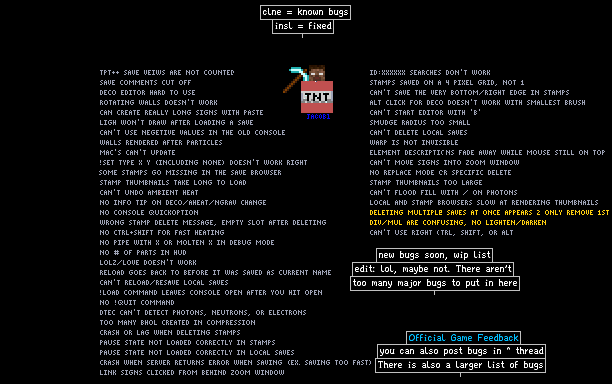

Post any bugs you find here. But there aren't as many bugs that are really bugs and I don't already know about than when this first started, so also use this as a general conversation save, or to ask / tell me anything. #1 most commented save in tpt!
jacob1
problems
bugreport
glitch
fix
960847
tptpp
glitches
bugs
tptplusplus
Comments
-
Atomic10 14th Nov 2015
 After tinkering around with the favorites menu, I've learned that it can be buggy (and has even crashed the game).
 -
Atomic10 14th Nov 2015PortalPlayer: Well this may not be the thing, but basically, when you press CTRL+SHIFT+LeftClick on an element's button in the menu, it 'saves' it to the recent menu, or also known as the Favorites menu. To remove a saved element from the menu, just press CTRL+SHIFT+RightClick on the element inside of the Favorites menu... Did that help? Probably not.
-
PortalPlayer 14th Nov 2015
 Your mod glitched out and now the recent elements is just a billion 2x2 lifes and a 34 I can;t remove. I tried emptying the "Recent Elements" array in powder.pref, but that prevented it from launching. What value would reset it/get rid of all the life?
 -
PortalPlayer 14th Nov 2015I just noticed, your mod doesn't have a brush size limit :)
-
PortalPlayer 14th Nov 2015lostfox: actually, a few of their saves should. If not all. Seems to have a big thing against moderators despite not having anything except stuff intended just to provoke.
-
PortalPlayer 14th Nov 2015jacob1: ok, I see your view now. If that's the case, then /help disconnect should say "/disconnect (no arguments) -- leave the game. Same as /quit" That way people (like me) would know it was intentional.
-
lostfox 14th Nov 2015
 id:1887003 if it had not taken down yet
 -
jacob1 14th Nov 2015
 Or if you meant console commands, do what Atomic10 said. But looks like you were responding to my commands.
 -
jacob1 14th Nov 2015Voyager15: not even trying right now, i'm too busy with school and other stuff. flubber5: yeah, TPT Multiplayer. See this thread for download: http://tpt.io/.260627 , but please use the script manager instead because i'm about to update tptmp in a few days and the old version will stop working later this month.
-
Atomic10 14th Nov 2015flubber5: Press the ~ / ` key. It's to the left of the 1 key. Then type in something like !set type dust none